cinelerra3
Documentation
1 Package design
All things concering the big picture.
Not a real code package, rather a container for design drafts, specifications, decisions.
1.1 Component View Architecture
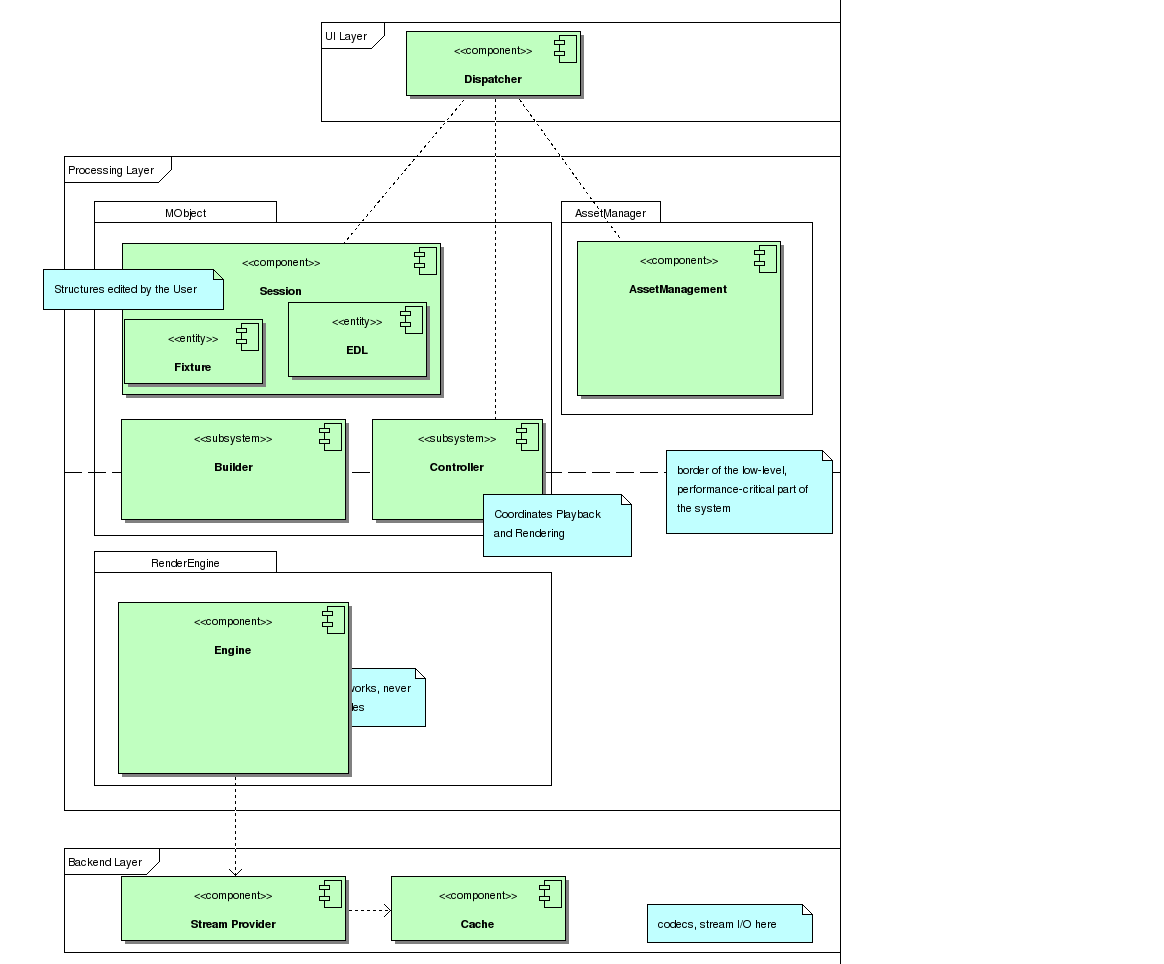
The various Components comprising the Cinelerra3 Video editing Application
Overview
This drawing shows the top level compoents and relations
Depends on Builder
Component AssetManagement |
Depends on Stream Provider
Component Stream Provider |
Depends on Cache
Component RenderPathManager |
2 Package AssetManager
3 Package MObject
3.1 Class View Session
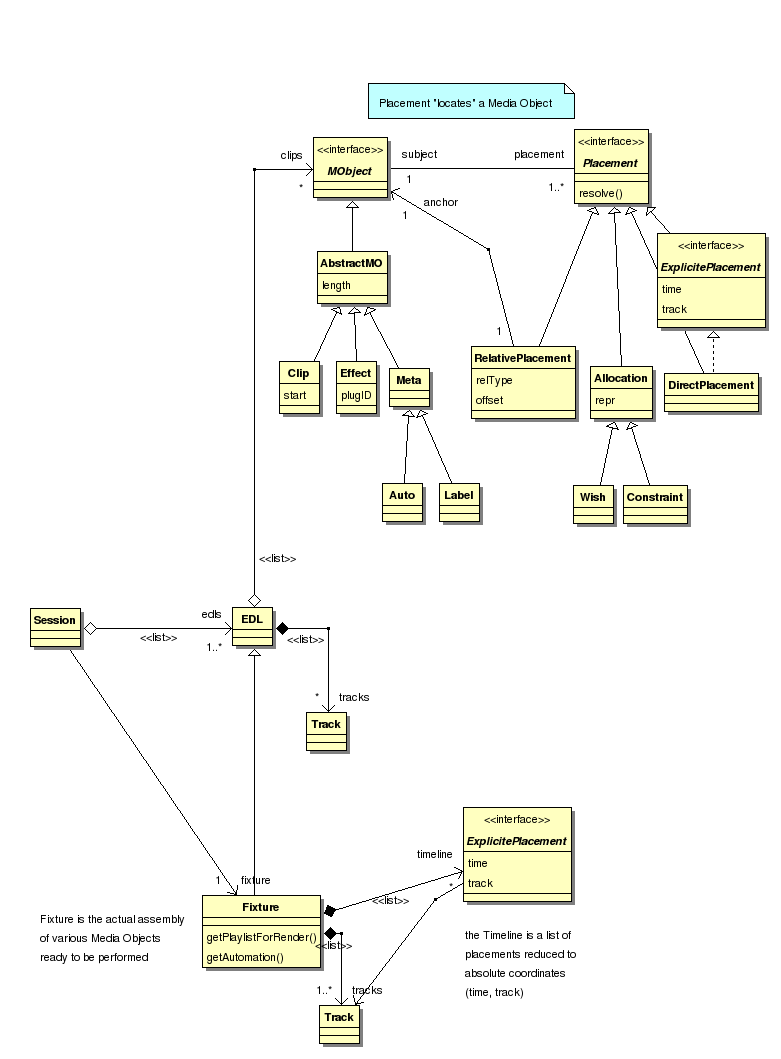
Session structure

EDL Example1
A simple example showing how the actual objects are placed in the Fixture (=definitive playlist). It shows a Video and Audio clip placed on two tracks
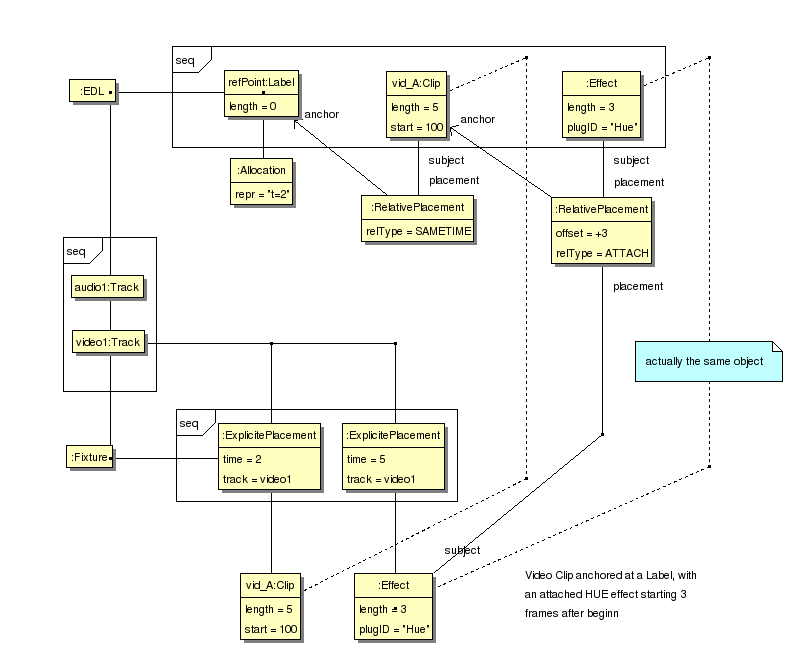
EDL Example2
More complex example showing the Object graph in the EDL and how it is linked into the Fixture to yield the actual locations. In this example, an HUE Effect is applied on a part of the Clip
3.2 Package Builder
3.2.1 Class View Builder Workings

build process
This figure shows the process of building and starting a RenderEngine
3.3 Package Controller
3.3.1 Class View Controller Workings

Controller Entities
4 Package RenderEngine
4.1 Deployment View Engine Parts
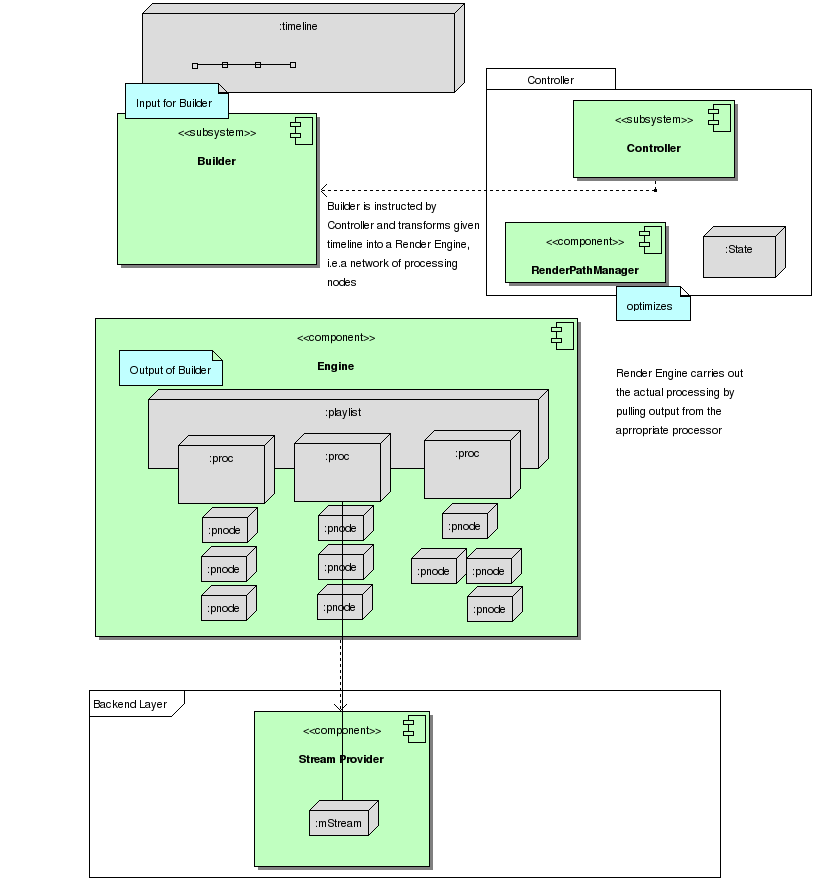
Overview Render Engine
4.2 Class View Engine Workings

Render Entities

Engine Example1
Example1 (from EDL) continued: here the RenderEngine to be created by the Builder from the Input shown in Example1
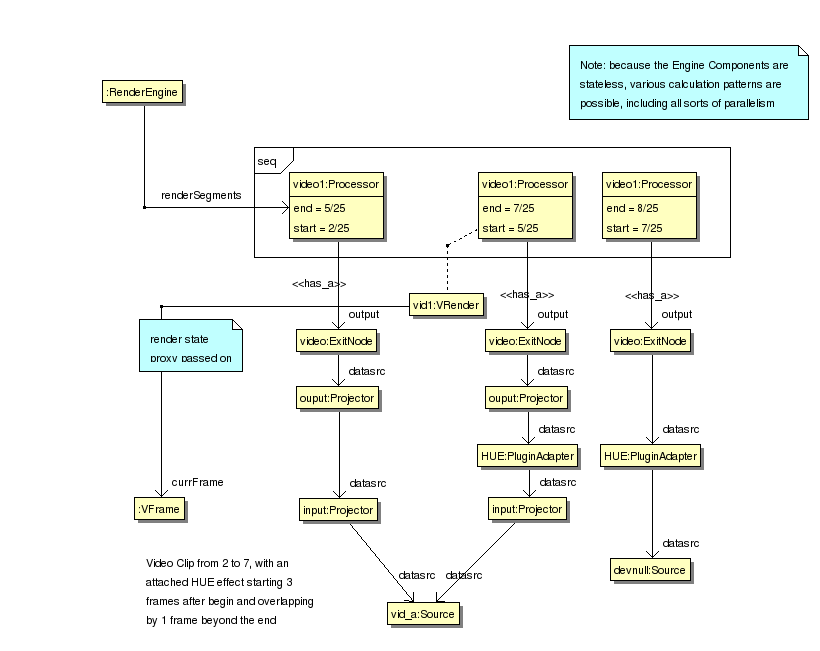
Engine Example2
Example2 (from EDL) continued: notably in this RenderEngine the Effect has been partitioned into 2 segments with constant configuration.
5 Package CommonLib
6 Package Vault
This package is used here just to hold entities thought to belong to the backend layer. The Backend is not in Focus for this Design draft.
6.1 Class View Backend Components
7 Package GUI
GUI is here just a container to hold any entities considered to be User Interface related, which is not in focus for this Design draft